
All will be as it should
Tasks, errands, meetings, and notes — in a single daily feed. Jot things down even offline. The app is in English and Russian.
Why Steady
An assistant that doesn’t rush you — it has your back
01
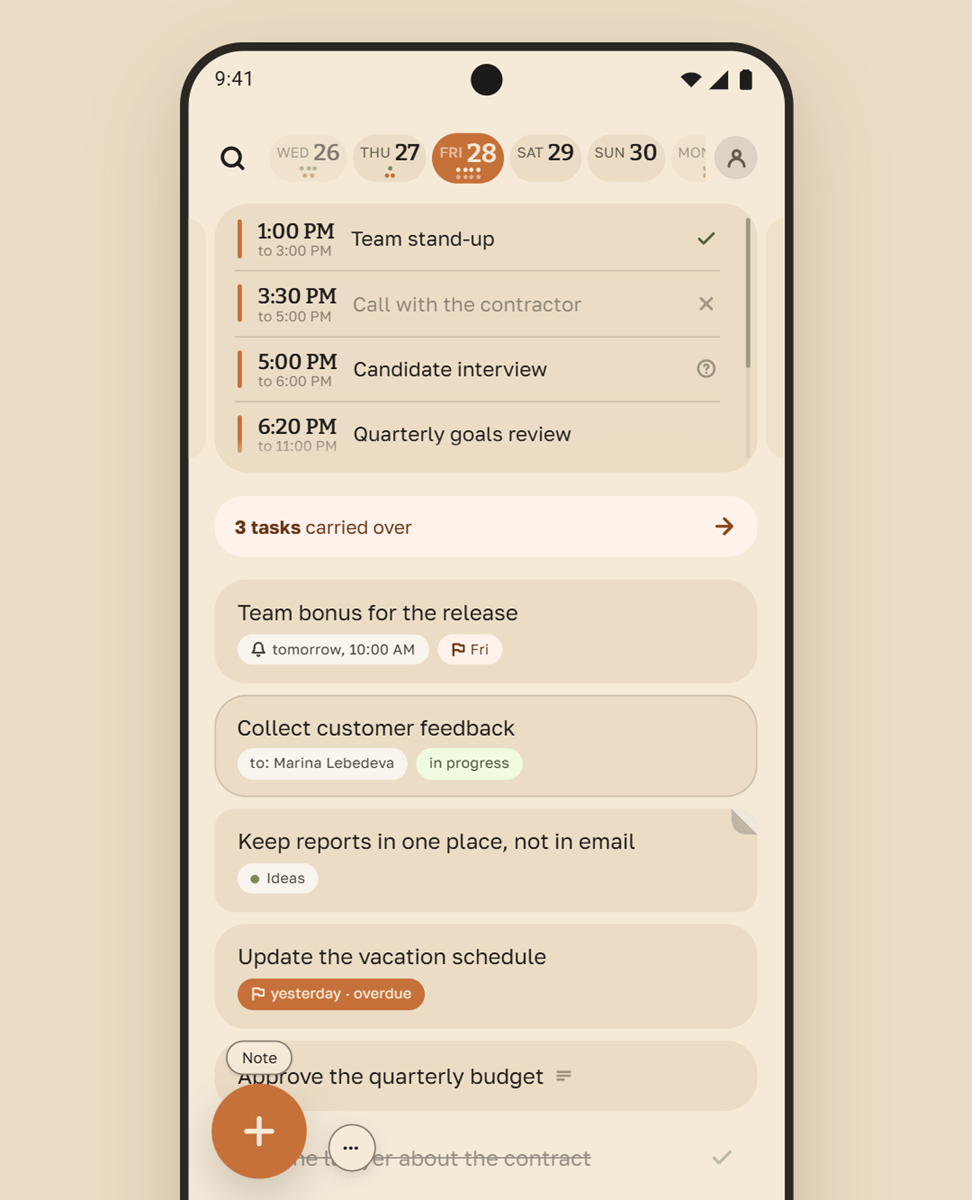
Your whole day in one feed
Meetings from all your calendars, tasks, errands, and notes — on one screen, in order. No need to keep the day in your head.
02
Made for left and right hands
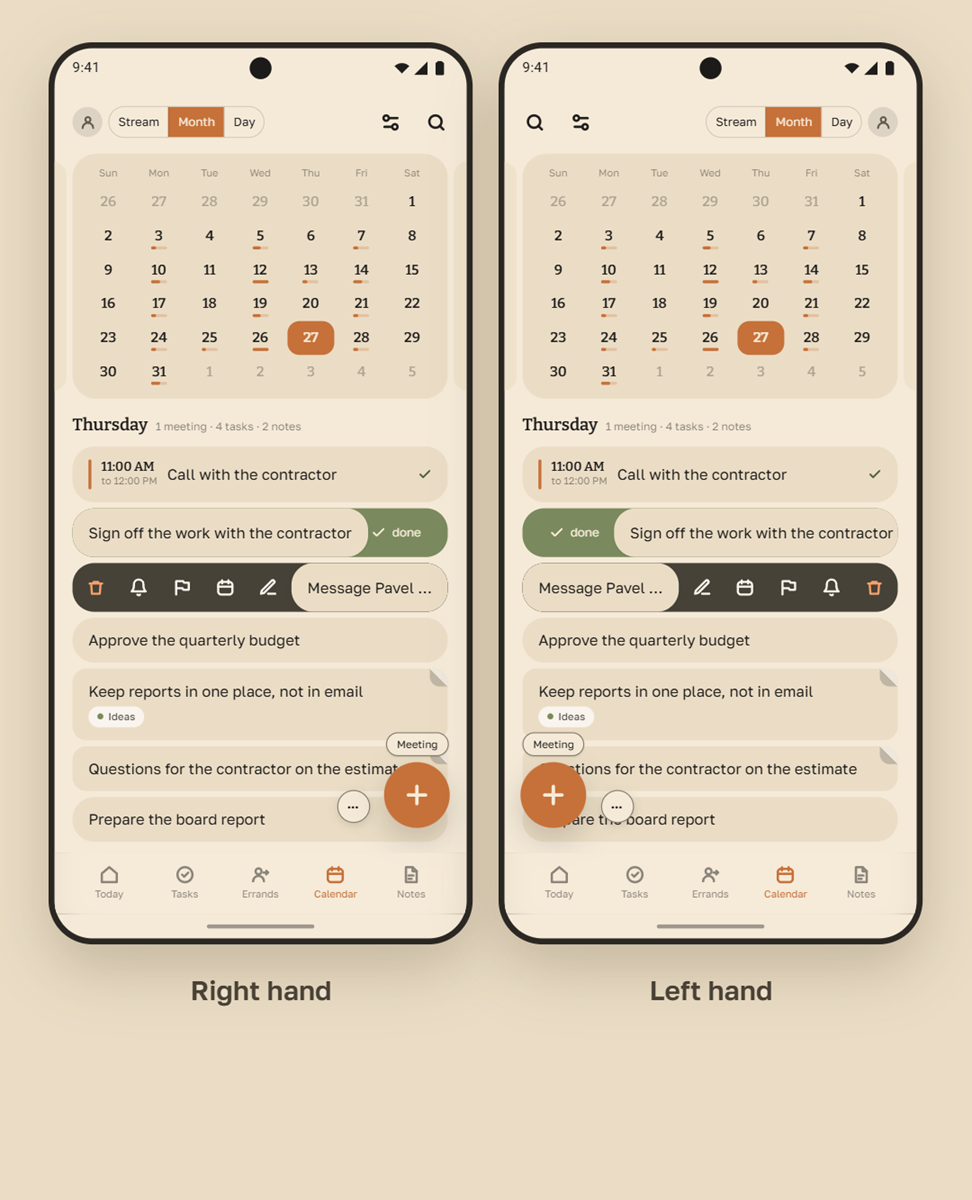
One switch mirrors the whole interface for your left hand: buttons, menus, gestures and panels land under your thumb. No need to shift your grip.
03
Works offline too
On the subway, on a plane, out of town — tasks and notes are saved right away and go to the server when the connection is back. The day’s meetings stay on screen.
Quick entry
It all starts with a single tap
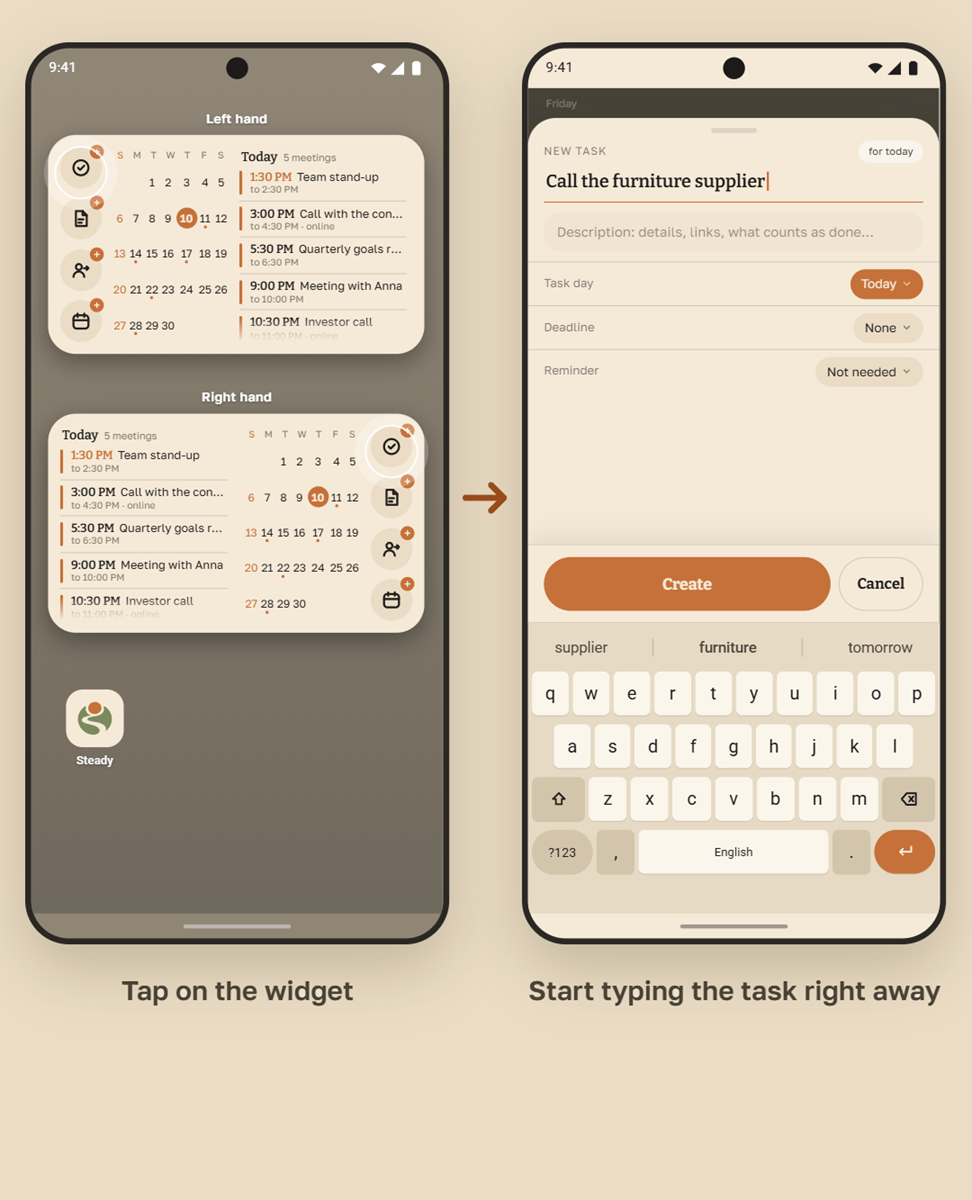
A home screen widget: one tap and the task sheet opens with the keyboard, the day already chosen. All that’s left is to type.
Offline
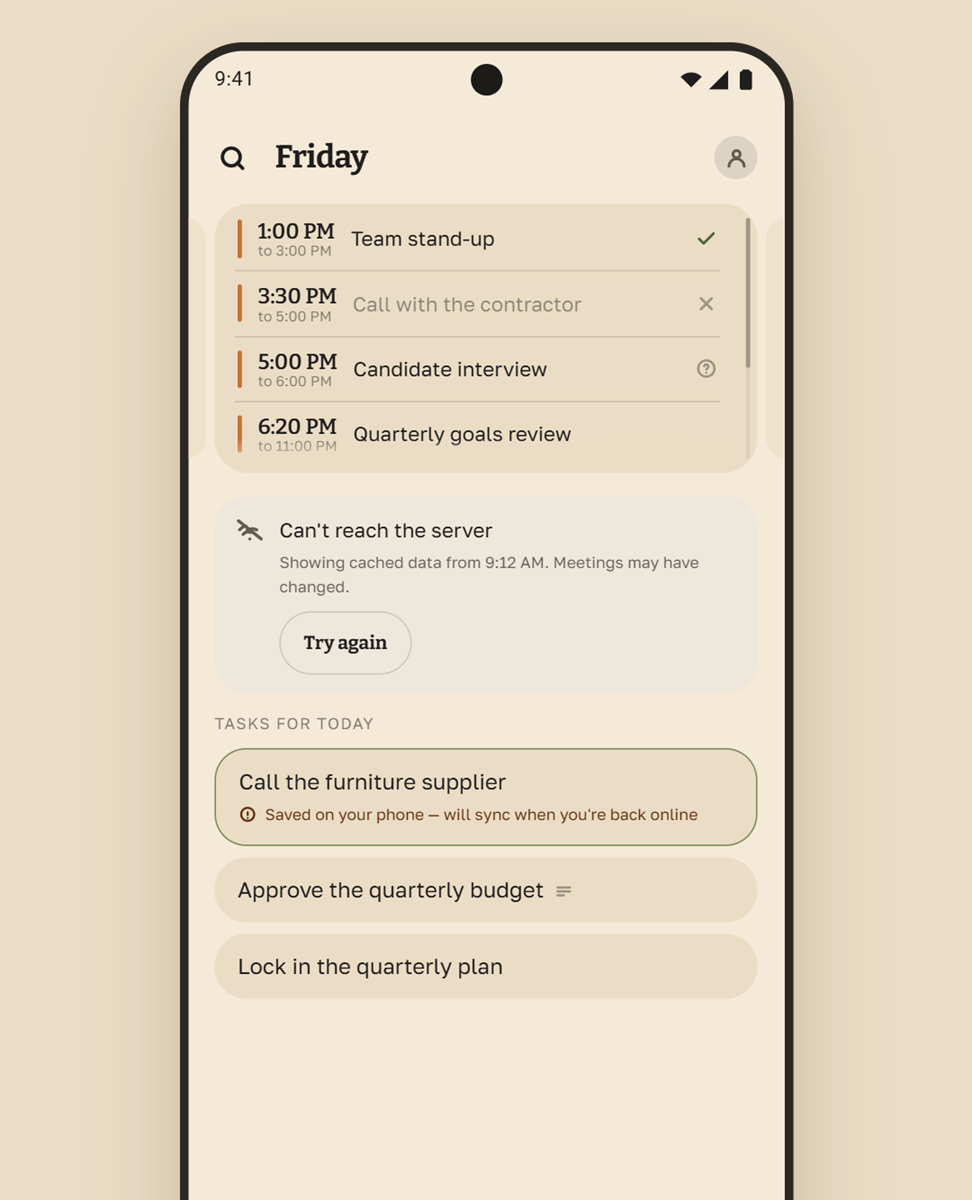
Saves even without internet
No connection — the task is saved on the phone and goes to the server when the network is back. Meetings are shown from the cache, with the time of the snapshot.
Working hand
Built for the right or left hand
The create button and actions sit under your thumb. The layout mirrors with one switch; time always runs left to right.
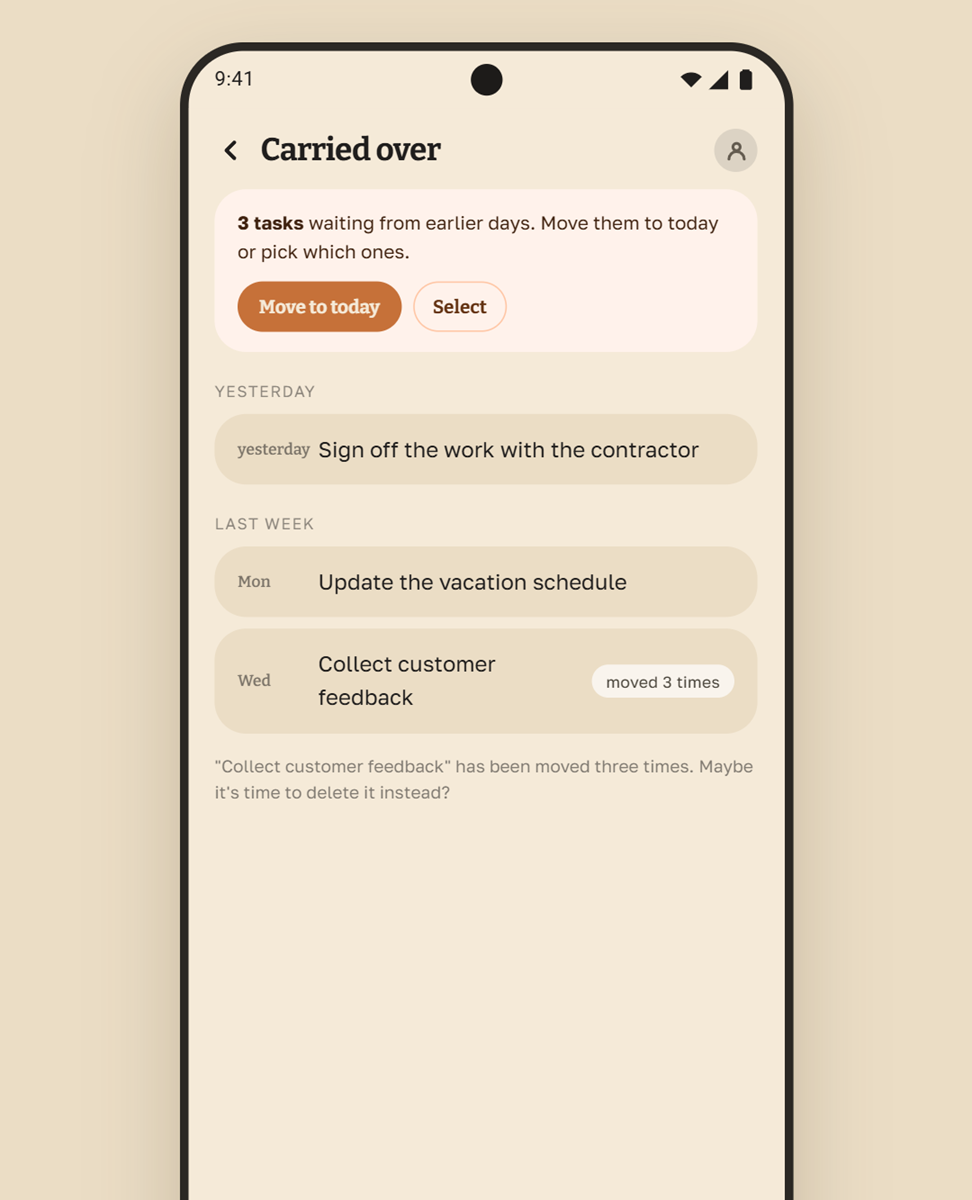
Carried over
Didn’t get to it? Move it. Sleep on it
Tasks from past days are gathered in one card: move them all to today or pick which ones.
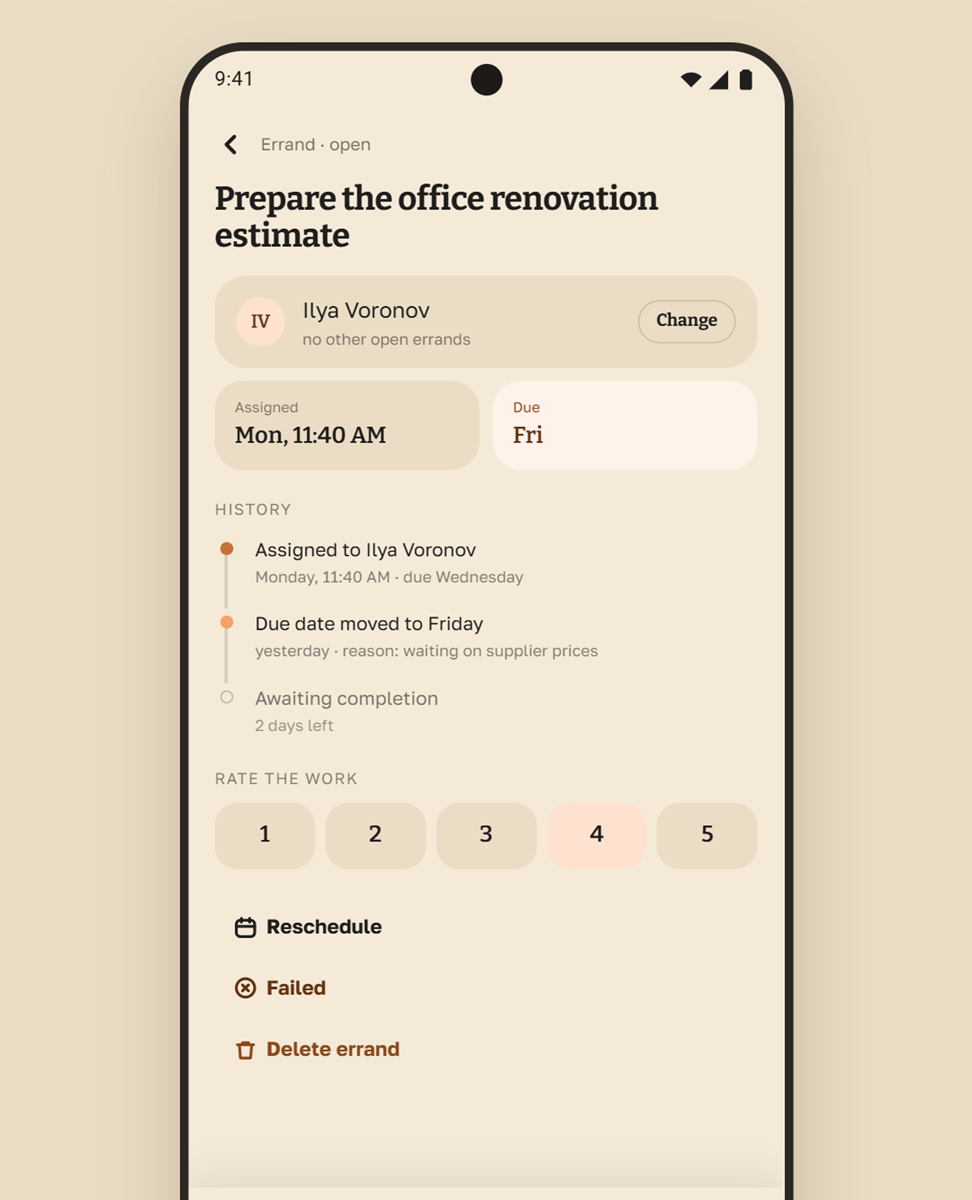
Errands
Never forget an errand again.
Only you can see this
Every errand has a history: who it was given to and when, where and why the due date moved, how it ended. No more arguing with your own memory or anyone else’s.
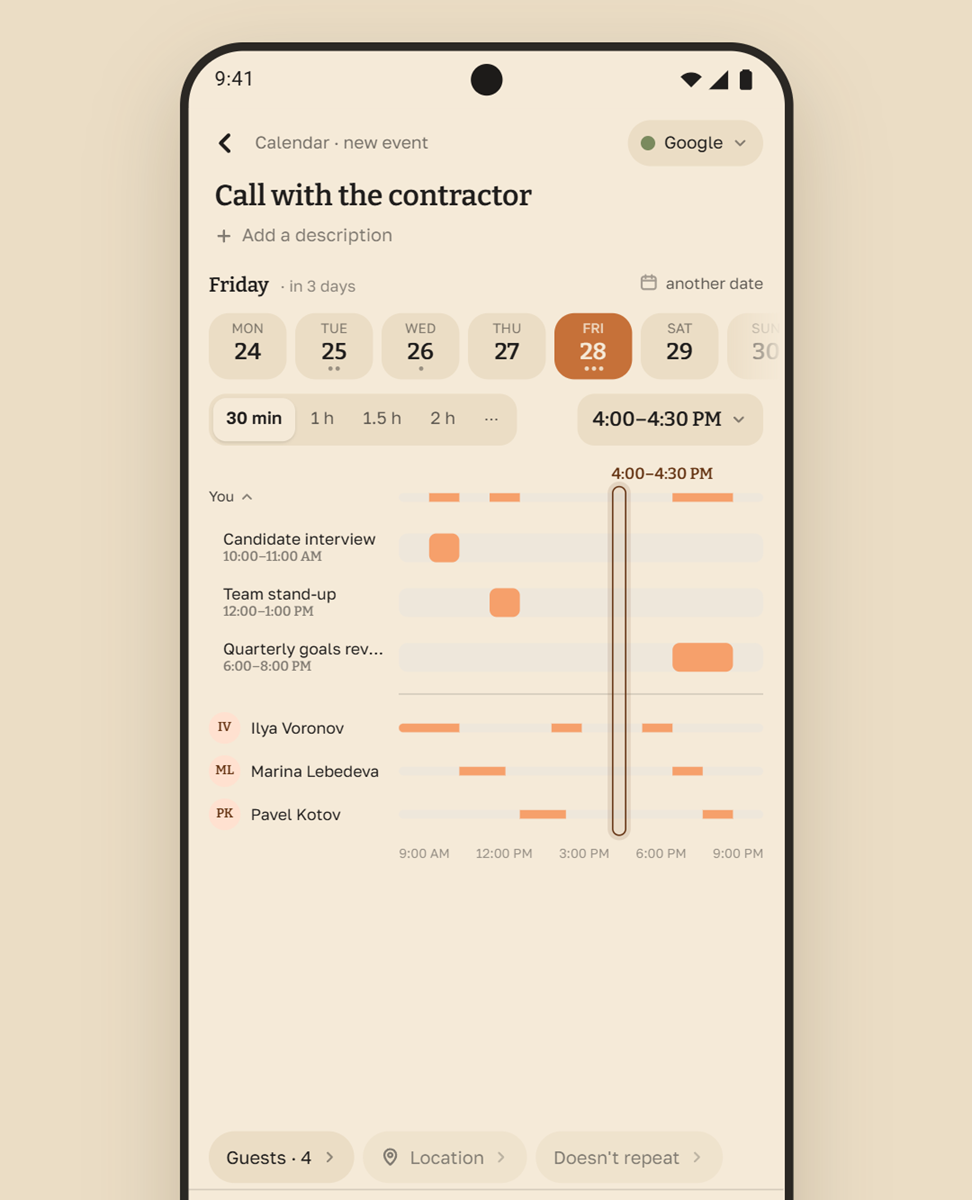
Meetings
A meeting — without leaving the app
The event is created right in Steady and goes to your calendar. Participants’ availability is visible at once — pick a time without the back-and-forth.

Do what you must — come what may
One tap is all it takes to start.
Questions
How do I install it?
As an .apk file from this page. Or right in your browser at mysteady.work — on a phone or computer you can add it to the home screen like an app. The app is in English and Russian.
Which calendars can I connect?
Google Calendar, Yandex Calendar, phone calendars and — if your company is connected to Steady — your organization’s calendar. Events from all sources live in one feed.
Where is my data?
On our server in Russia, under your account — with passkeys, two-factor sign-in and a sign-in log. Your phone and computer keep a copy so everything works offline: entries made without a connection go to the server once it’s back. It’s a personal tool: your colleagues don’t see your tasks.